
Follow the steps in this guide to produce a completion report of all schools within your community/district.
Instructions:
Step
1
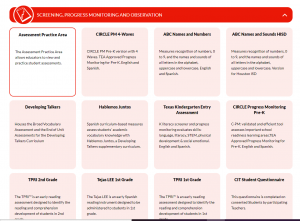
Locate the red banner Screening, Progress Monitoring and Observation on the dashboard and click on the assessment for which you would like to produce reports, for example CIRCLE Progress Monitoring PreK, Texas Kindergarten Entry Assessment or TPRI. The following screenshots show the steps to pull this report in CIRCLE Progress Monitoring, but the steps are the same for all the assessments on CLI Engage.
Step
2
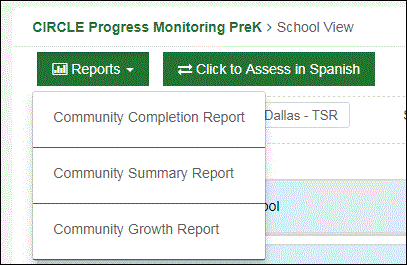
Under Reports, click on Community Completion
Step
3
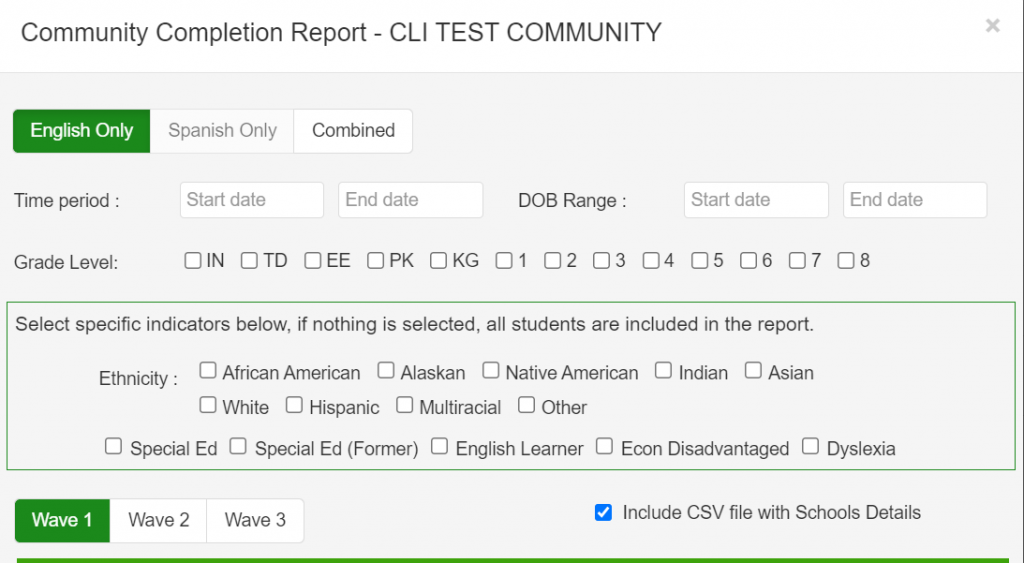
Select Language
You can select English Only, Spanish Only, or Combined administered assessments.
Select Grade Level
You have the option to choose specific indicator included in your report.
Choose Wave
Can only select one wave.
Step
4
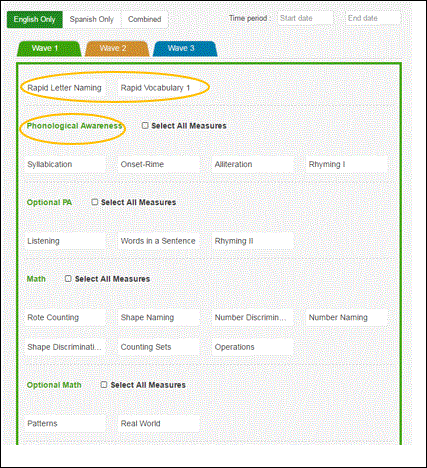
Select Measures
Step
5
Scroll down and click Export
Step
6
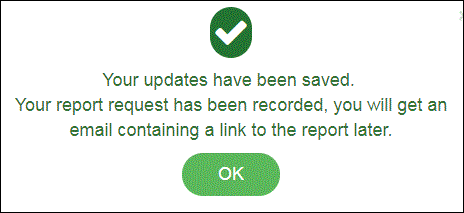
This message will appear. Click OK
Step
7
Open email and click Download

Step
8
Click Export
Step
9
PDF file will download at bottom left of screen

This document was last modified on: November 3, 2021